Open source, managed Trino clusters,
in your own AWS account.
Provision EC2-backed Trino clusters, wire up catalogs, and run SQL — all from one box. A Trino-aware autoscaler and auto-suspend tear down idle capacity automatically, so you pay for queries — not idle clusters.
Pay for queries,
not idle clusters.
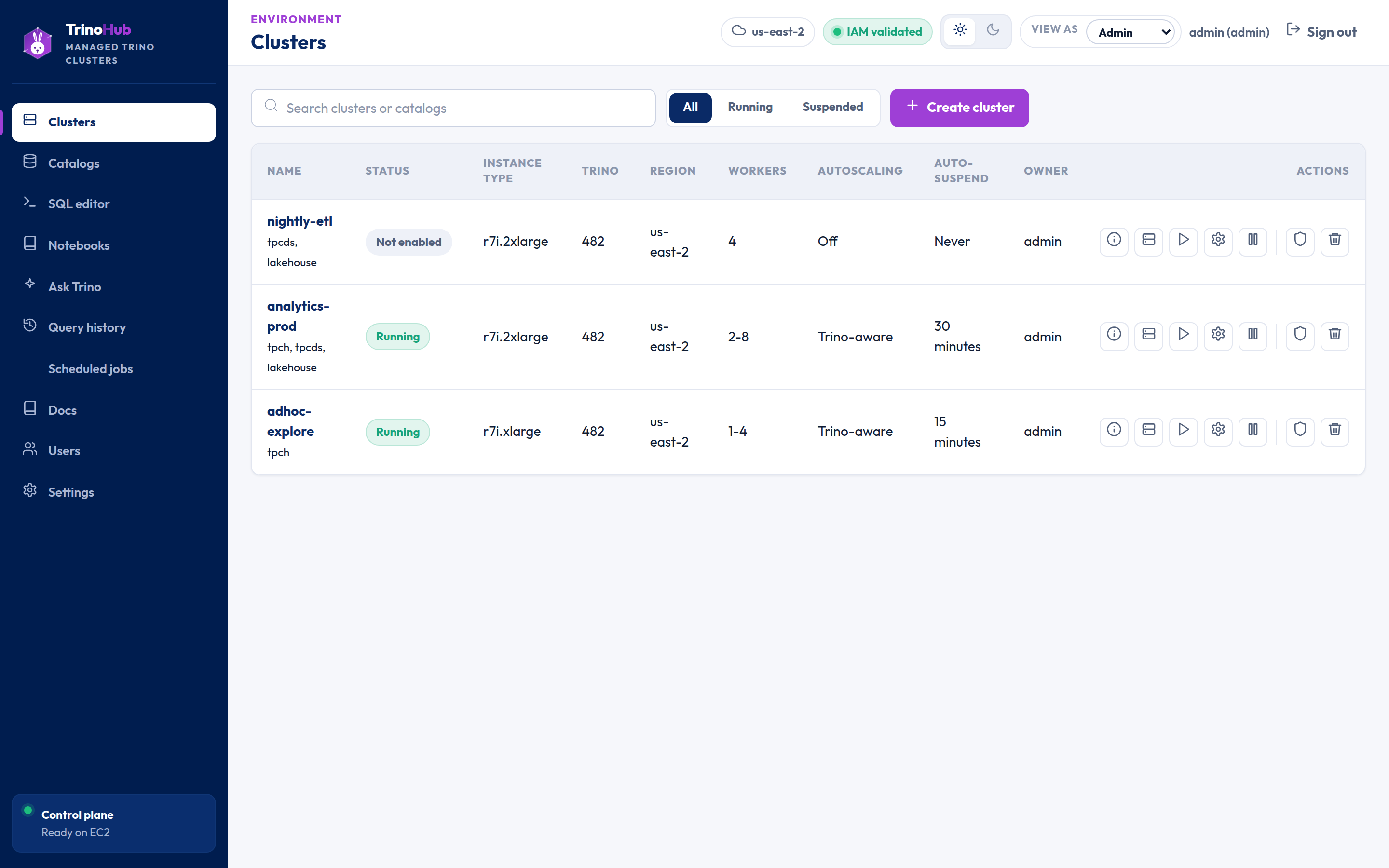
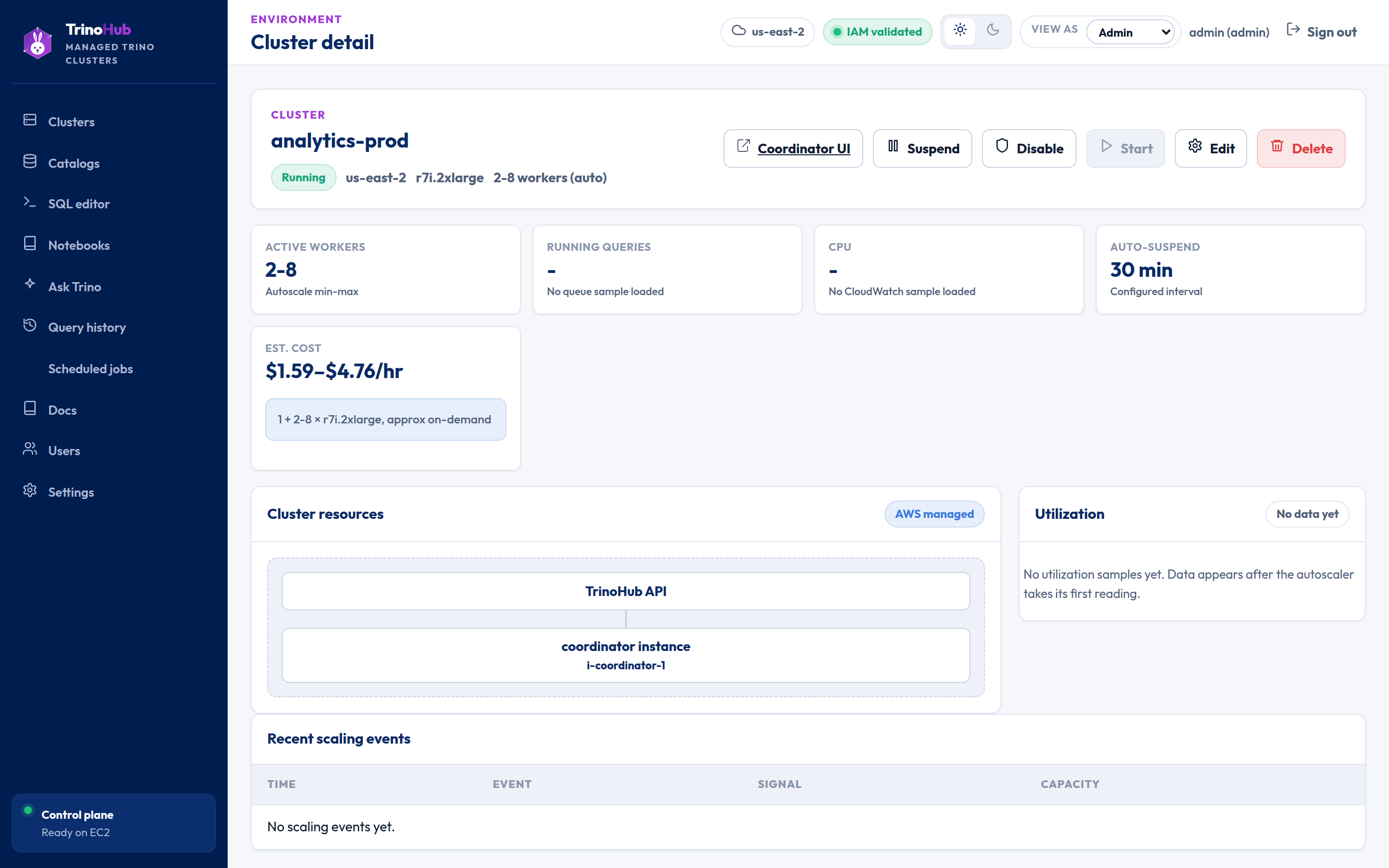
A control loop — not a raw CPU policy — scales workers on queued queries and CPU, with cooldowns and min/max bounds. Idle clusters auto-suspend, and a query against a suspended cluster resumes it first.
- Scale on real query demand, with cooldowns to avoid thrash
- Auto-suspend tears down idle capacity to stop the meter
- Optional NVMe caching keeps hot S3 data on local disk
Ask in plain English.
Review the SQL. Run it.
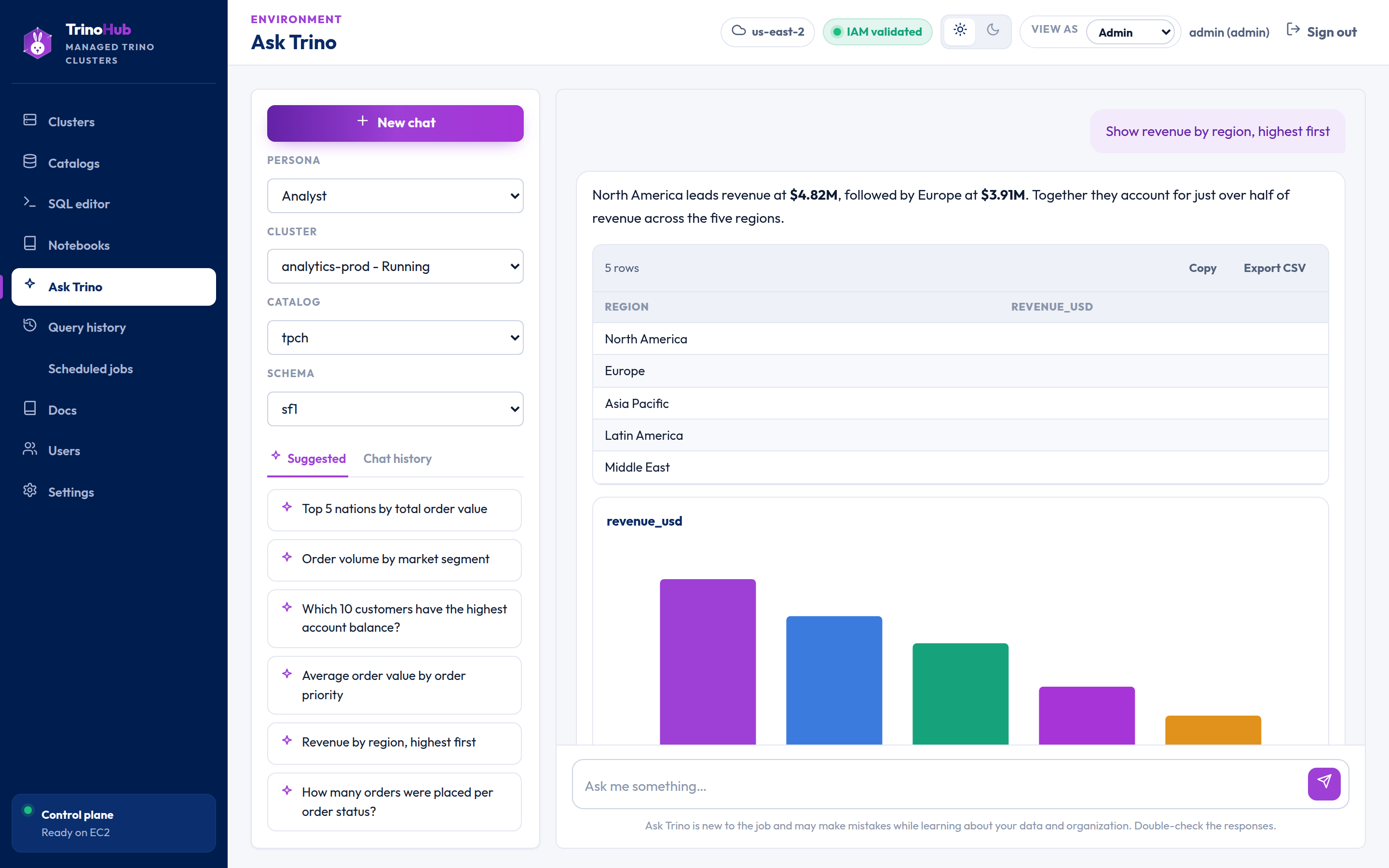
Pick a cluster, catalog, and schema, then ask a question in everyday language — or start from a suggested prompt. Ask Trino drafts the SQL with a short explanation, and one click sends it to the SQL editor to run against the same cluster.
- Only emits SQL as text — nothing runs until you say so
- Read-only by design: a single
SELECT— writes and multi-statements are rejected - Bring your own LLM provider — API keys stay in server env vars, never logged, never sent to the browser
The control plane for your Trino fleet
A single EC2 instance runs the UI, API, and AWS orchestration. From there, operators launch clusters and analysts run SQL — no Terraform, no Kubernetes.
Cluster lifecycle
Create, start, suspend, disable, and delete EC2-backed clusters. Delete terminates every tracked AWS resource.
Trino-aware autoscaling
Scales workers on queued queries and CPU with cooldowns and bounds. Auto-suspend stops idle spend.
Catalogs: S3 + Glue
Built-in system, tpch, tpcds, plus S3 + AWS Glue Iceberg. Worker IAM grants access — no S3 keys stored.
SQL editor
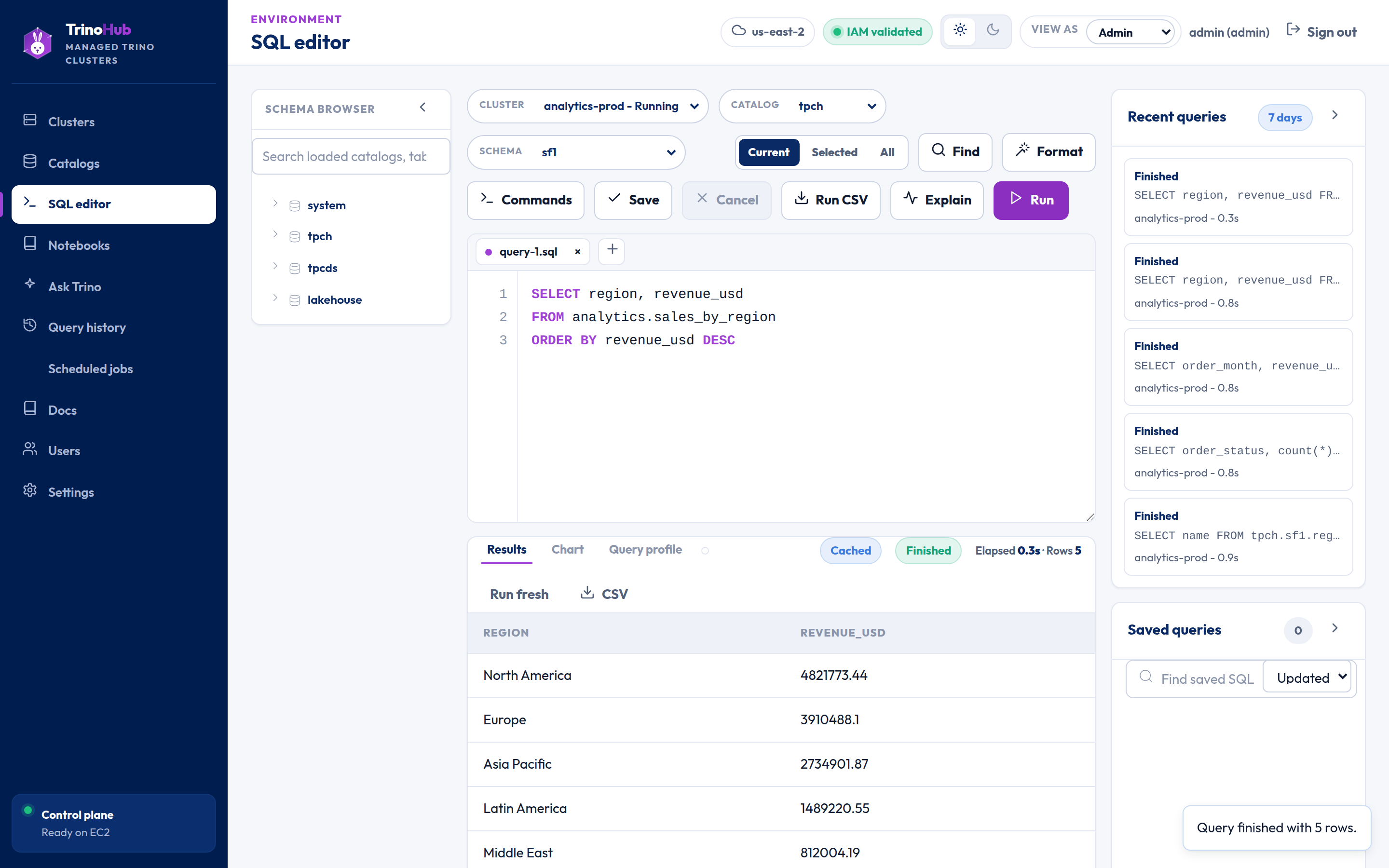
Schema browser, syntax highlighting, live status polling, tabular results, and streaming CSV export.
Notebooks
Ordered SQL cells with inline tables or charts, per-cell overrides, Run all, and autosave to your account.
Accelerated caching
Optional warm cache on local NVMe for S3-backed Hive, Iceberg, and Delta — repeated scans read from disk.
25 connectors out of the box
Every connector ships with TrinoHub — the picker, catalog forms, and credential handling all derive from a single registry. Add a catalog from the UI and it's queryable in seconds.
Object storage4
S3 + Glue catalogs authenticate with IAM roles — no stored secrets.
Document & search3
Query document stores and search indexes with plain SQL.
Databases & warehouses13
JDBC connectors configured from the UI — point at a host, add credentials, query.
Google Cloud2
Authenticate with a GCP service-account JSON key.
Test & sample data3
Zero-config catalogs for trying queries before wiring up real data.
Your data never leaves your account.
TrinoHub installs into your own VPC. Query data flows between your worker nodes and your S3/Glue over your own network and IAM — nothing routes through a TrinoHub-hosted service.
From zero to SQL in three steps
Deploy the control plane
One CloudFormation stack creates the IAM roles (instance-profile auth — no static keys), a security group, and an EC2 instance that installs and starts the app.
Launch a cluster
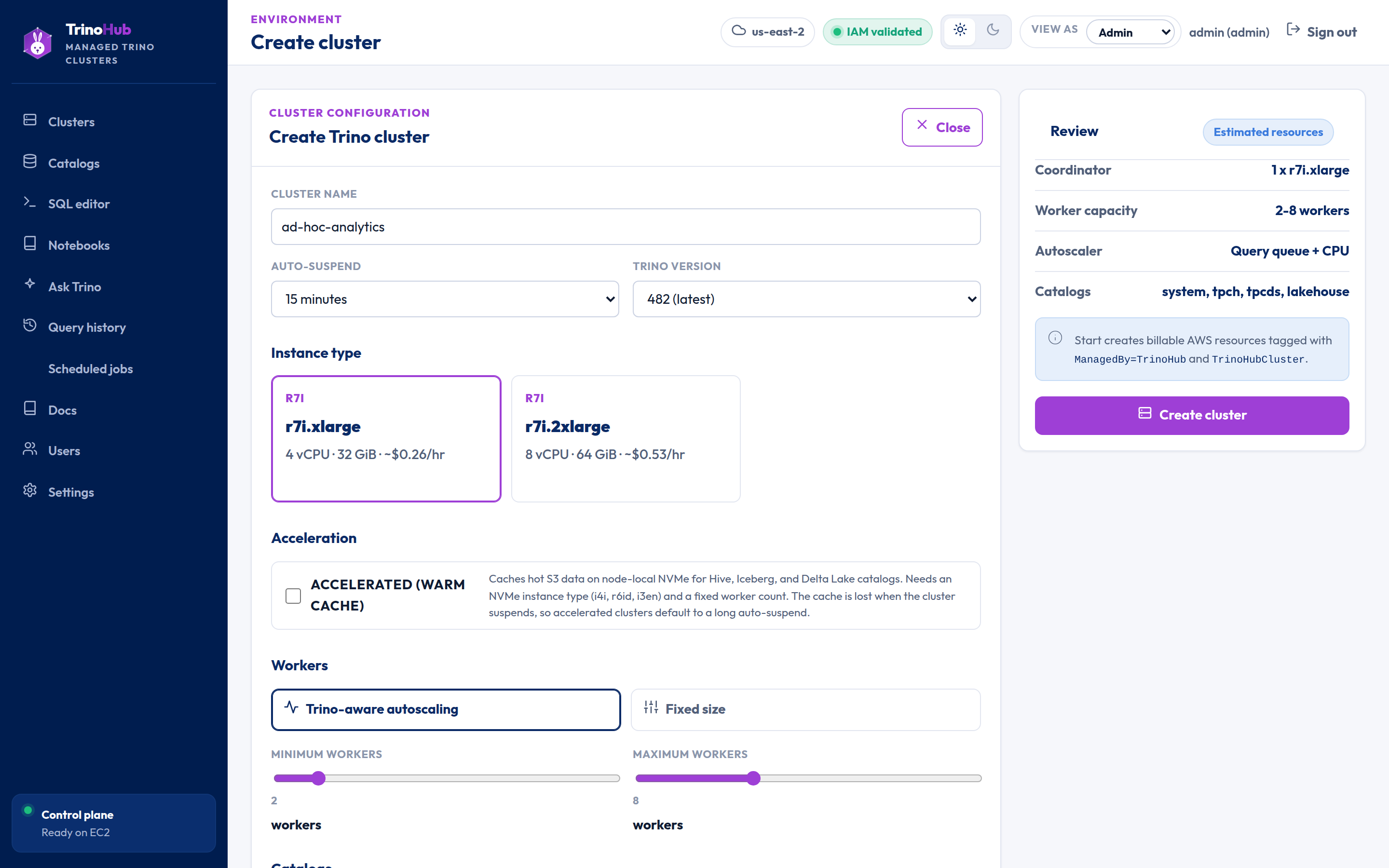
Pick a preset tier — Cost, Balanced, or Power — toggle autoscaling and auto-suspend, wire up catalogs, and hit create. Each cluster maps to a tagged set of AWS resources.
Run SQL
Analysts pick a cluster and catalog, write SQL with a live schema browser, watch query status, and download CSV — or organize it all into notebooks.